KHQR and Dual Currency POS in Cambodia: Easy Way to Cut 5 Payment Friction Points
For retail shops, cafes, and restaurants nationwide, implementing a modern KHQR POS Cambodia setup is essential to prevent counter bottlenecks. A truly capable dual currency POS automatically computes Khmer Riel and US Dollars on one bill, eliminates manual cashier calculation, and connects official banking gateways like ABA PayWay to stop payment errors before they happen.
“]
QR Standard
Dynamic KHQR
Currencies
KHR and USD Dual
Partner Status
ABA PayWay
Deployments
3,000+ Projects
Why payment friction kills Cambodian queues
In Cambodia’s retail and hospitality ecosystem, customer checkout must be instantaneous. During peak lunch periods at a Phnom Penh cafe or evening rushes at a convenience mart, even a 30-second payment delay per patron compounds into long counter lines. When shops depend on manual calculations between Khmer Riel and US Dollars or rely on cashiers typing amounts into personal banking apps, friction escalates rapidly.
A purpose-engineered KHQR POS Cambodia installation eliminates this friction. By linking the registered checkout total directly with Bakong-compliant payment protocols, your staff rings up orders without touching a calculator or questioning payment confirmations.
1. Is KHQR POS Cambodia integrated into checkout – or a paper standee?
Many small establishments still place a laminated static QR code on the acrylic counter divider. While inexpensive, static QR codes cause substantial operational hazards:
Input Mistakes: The customer must manually type the exact amount into their mobile banking app. An order of $18.50 can accidentally be keyed as $1.85 or $185.00.
Screenshot Fraud: Dishonest patrons can display old transaction success screens or fake receipt templates during busy counter rushes.
Reconciliation Nightmares: At shift close, the business owner must cross-check hundreds of bank app notifications against cashier guest checks.
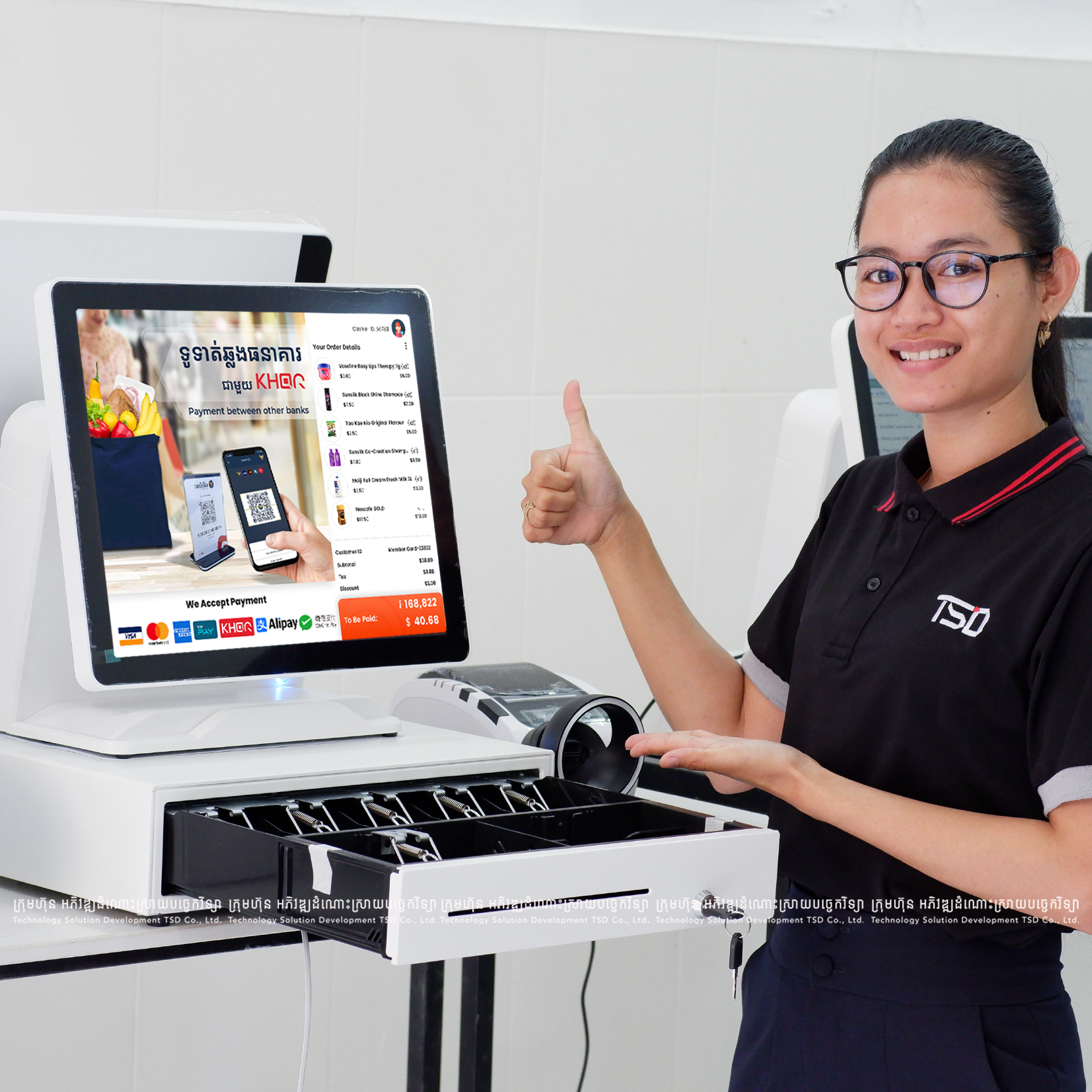
With a dedicated KHQR POS Cambodia software module, the QR code is dynamic: it embeds the exact invoice balance, transaction timestamp, and register ID. Once scanned, the cashier receives instant visual confirmation, and the drawer record balances automatically. Khmer companion analysis: KHQR POS Cambodia (Khmer Guide).
2. How does a dual currency POS eliminate manual cashier math?
Cambodia is uniquely dual-currency. A customer might order drinks priced in US Dollars, hand the cashier a 100,000 Khmer Riel banknote, and expect change in both USD and KHR.
Without a robust dual currency POS, cashiers execute mental arithmetic or keep desktop calculators beside the register. Over an 8-hour shift, rounding differences and exchange rate discrepancies result in persistent cash drawer shortages. TSD POS handles currency conversion automatically:
Exchange Rate Control
Set manager-defined exchange rates (e.g. 4,100 KHR / USD) that apply uniformly across all terminals and sales receipts.
Dual Display Receipts
Receipts clearly print subtotal, VAT tax, and final total in both USD and KHR, giving foreign and local customers total transparency.
Precise Change Calculation
The system computes change in USD bills and KHR fractional currency simultaneously, eliminating register disputes.
3. Can you mix cash and KHQR on the same sale without errors?
A frequent counter reality occurs when a customer has $10 in cash and wants to pay the remaining $6.25 via Bakong mobile banking. If your software does not support split-tender settlements, the cashier is forced to cancel items or generate two separate fake bills.
TSD POS provides one-tap split tender: ring up the order, accept the cash portion, and the system instantly recalculates the residual balance and displays a dynamic KHQR code for the exact difference. Both payment types are reconciled into the single sales ticket, keeping inventory deductions and sales audits perfectly intact.
4. Does the customer-facing screen show KHR and USD totals clearly?
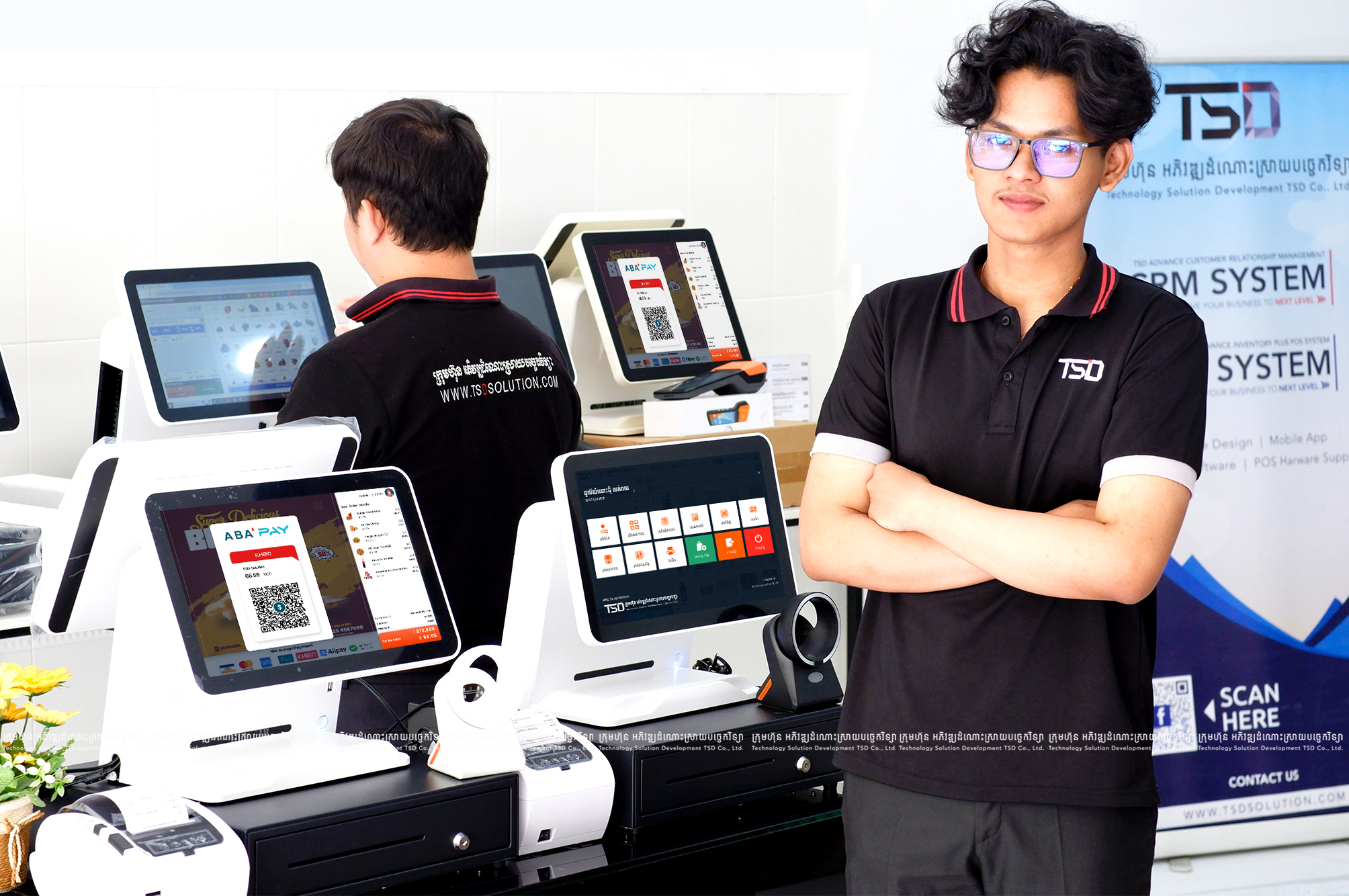
Dual-screen POS hardware elevates customer confidence. While the cashier scans items on the primary touch display, the secondary customer display presents the itemized cart, real-time total in both KHR and USD, and the high-resolution dynamic KHQR code.
KHR and USD Totals on Screen
Guests verify both currencies on the customer-facing display before paying, reducing disputes at the counter.
Dynamic KHQR with Exact Amount
No manual key-in on the guest phone: the QR encodes the exact invoice total for fewer payment mistakes.
Clear Cart Before Payment
Itemized lines at eye level build trust and speed the queue without guests leaning over the cash desk.
Patrons scan the QR directly from their side of the glass without leaning over the cash desk or touching staff devices. Explore hardware configurations in our guide on POS hardware choice in Cambodia.
5. What role does ABA PayWay and official bank integration play?
As digital payment volumes surpass physical cash across Cambodia, direct integration with tier-1 banking institutions becomes paramount. Unofficial screen-scraping apps or unofficial webhook tools frequently break when banking mobile apps update security protocols.
TSD is proud to be an ABA PayWay Official Integration Partner. Through verified banking APIs, our POS platform communicates securely with ABA Bank, ACLEDA Bank, and Wing gateways. This official status ensures enterprise-grade encryption, reliable transaction callback speeds (under 1.0 second), and direct merchant settlement into your business accounts.
Featured case studies: KHQR and dual-currency in action
Discover how leading Cambodian hospitality, retail, and convenience brands speed up checkout and eliminate cash drawer shortages with TSD integrated payments:
FEATURED – DUAL DISPLAY
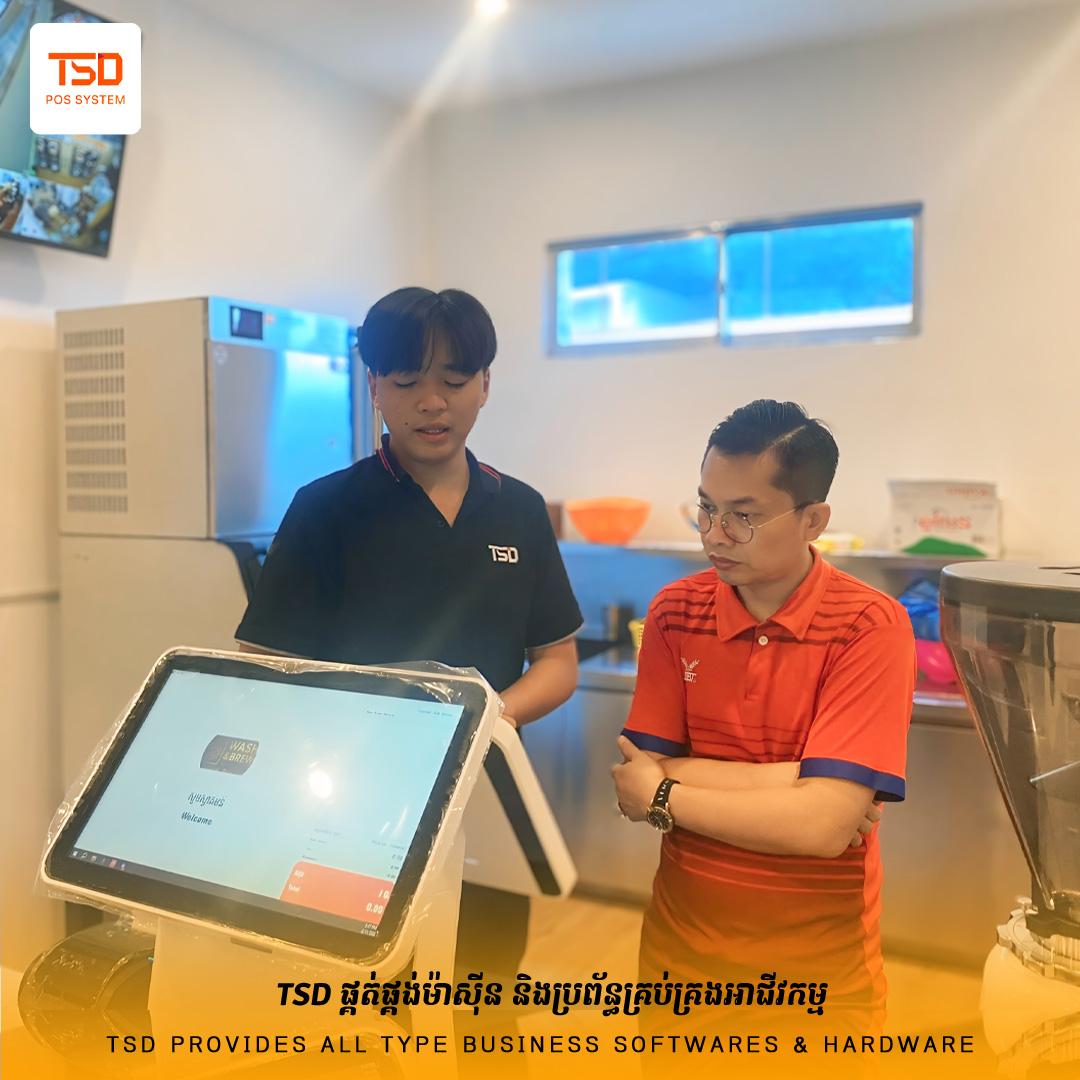
Wash and Brew: Dual-Screen Dynamic KHQR Checkout
Modern hybrid laundromat and espresso bar featuring customer-facing screens for instant ABA KHQR scanning, order pickup status, and combined KHR/USD billing.
* Operational payment telemetry observed across TSD integrated retail registers.
Checkout test: 5 payment scenarios to verify in your demo
When evaluating any dual currency POS in Cambodia, do not simply watch a vendor present a pre-loaded slide deck. Request that the technician conduct these five live sales tests in front of you:
Dual Currency Change Test: Ring up an order totaling $11.25. Enter payment as a 50,000 KHR bill. Verify that the screen and receipt compute the change accurately in Riel without rounding errors.
Dynamic KHQR Amount Test: Ring up an order of $7.80. Verify that scanning the QR from an ABA or ACLEDA banking app automatically populates $7.80 without requiring the customer to type numbers.
Split-Tender Payment Test: Settle an order with $5.00 cash and generate a KHQR code for the remaining balance. Check that the sales report attributes the split accurately.
Customer Display Clarity: Stand on the customer side of the counter and confirm whether item descriptions, prices in USD and KHR, and the QR code are easily legible.
Shift Close Audit: Print an X-report and confirm that cash collections and electronic KHQR payments appear in distinct, easily reconciled categories.
What is the operational difference between static and dynamic KHQR?
A static QR is an unvarying code where the customer must manually key in the payment figure. A dynamic KHQR generated by TSD POS encodes the exact bill total directly into the QR image, preventing keying mistakes, speeding up queue throughput, and eliminating screenshot fraud.
How does TSD dual currency POS protect against cash drawer discrepancies?
By automating exchange conversions between KHR and USD on every line item and receipt, staff never perform manual mental math. Daily reconciliation reports separate cash drawer balances by currency, highlighting any variance instantly.
Which Cambodian banking institutions work with TSD KHQR POS?
TSD supports Bakong-compliant KHQR payments across all major Cambodian banks. Furthermore, as an official integration partner, TSD provides direct integrations for ABA PayWay, ACLEDA Bank, and Wing merchant solutions.
Can a cashier process a partial cash and partial KHQR payment?
Yes. TSD POS features built-in split-tender functionality, enabling a cashier to record any cash denomination received and immediately generate a dynamic QR code for the remaining balance on the customer screen.
What happens if internet connectivity drops during a KHQR checkout?
Because digital banking networks require connectivity to confirm transfers, TSD POS alerts cashiers when internet latency is high and seamlessly allows cash or offline card processing without interrupting counter flow. For details, see our Offline and Hybrid POS guide.
Why choose KHQR POS Cambodia with official bank APIs instead of unofficial apps?
Unofficial screen-scraping tools break when bank apps update. Official ABA PayWay, ACLEDA, and Wing integrations keep KHQR POS Cambodia callbacks reliable, encrypted, and merchant-settled into your business accounts.
UPGRADE YOUR COUNTER CHECKOUT
Ready to test seamless KHQR and dual currency checkout?
Experience a live demonstration of TSD POS payment workflows, ABA PayWay connectivity, and automated dual-currency settlement.
From fuel depots and auto care to retail, logistics, and enterprise — teams across Cambodia choose TSD Solution for expertise, fast Support, and systems that fit real operations.